Every choice on the order page is set by HER. Open an Artist’s Order Custom tab, and you’re looking at more than a platform template; you’re looking at a menu the Artist built: clip resolutions, add-on prices, turnaround tiers, Artist’s exclusivity rate. The platform offers the structure, and the Artist fills it in however they want.
What’s in front of you when you open the page is specific to the Artist you chose. A different Artist’s page will have different options, different prices, a different everything. There’s nothing to memorize. There’s just this page, and what She’s decided to create through it.
Now let’s see how to navigate it.
The Description Box
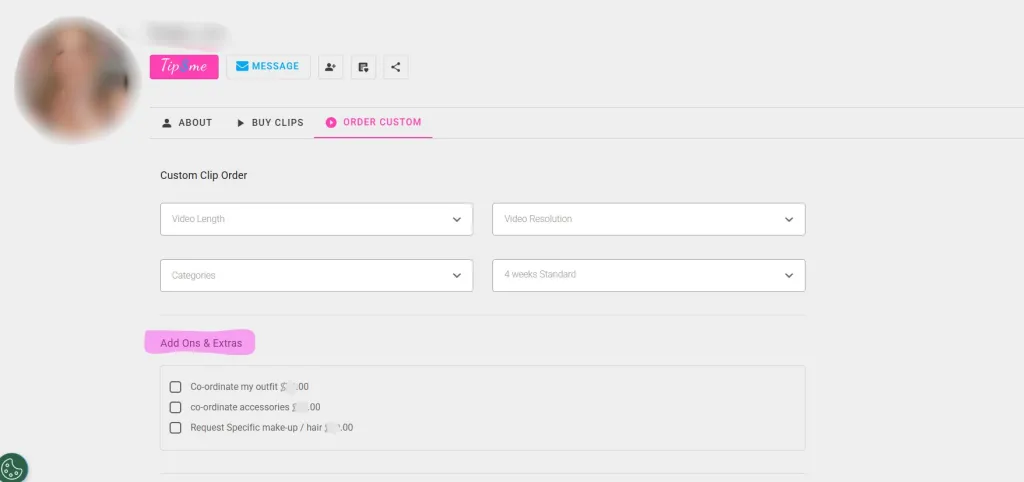
On the page, you will find a text field: 1,500 characters to lay out what you desire.
This is where you explain the fantasy. The dynamic, the tone, what you want the Artist to say or do. Give Her the idea, not a shot list. She knows how to build it, and She does it so well; that’s why you’re here.
One line underneath the box is worth remembering before you start typing: custom clips can’t include anything that violates platform content policy. Payment processor policy, so it’s a house rule. Doesn’t matter how you phrase it or what you’re willing to pay.
The Dropdown Menus
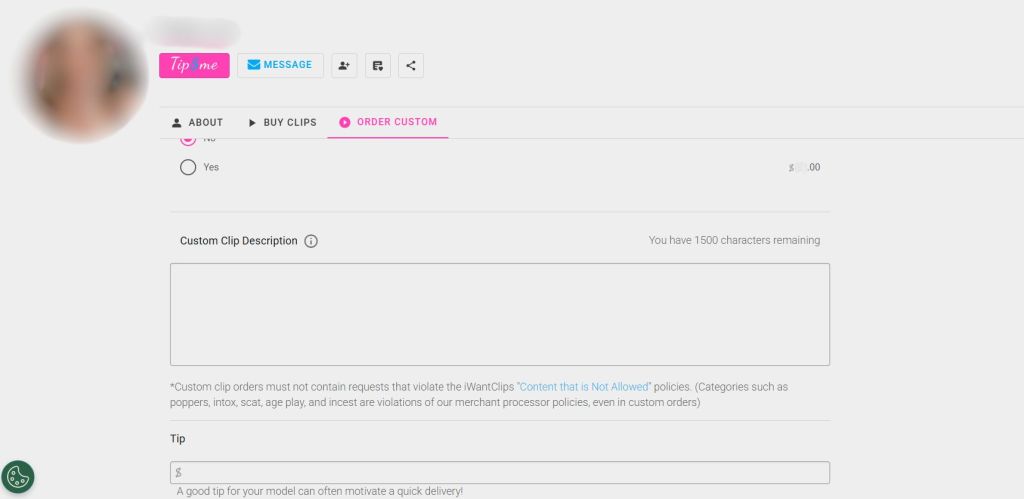
You can choose Video Length, Video Resolution, Categories, and delivery turnaround. Each one is populated by the Artist. What you see in dropdown options is what the Artist has chosen to offer, not a platform default or a universal menu.
Turnaround defaults to 4 weeks standard on most pages. That’s a baseline, and many Artists offer paid rush tiers on top of it: two weeks, one week, sometimes even three days. If you need it faster, check whether a rush option is offered before assuming standard is your only choice.
Resolution works the same way. Standard definition may be the default shown. You will find that some Artists offer 4K. The dropdown tells you exactly what’s available on a specific Artist’s page.
Add-Ons & Extras
Below the dropdown menus, you might find checkboxes. They may say: Choose My Outfit. Choose My Makeup & Hair. Choose My Complete Look. Or offer something else like an accent, subtitles, certain actions, or filming styles. Someone will offer a nail color of your choosing; someone will offer a camera angle. Each is priced separately by the Artist.
These are optional. Skip them, and the Artist styles the clip Her way. Check one, and you’re directing that piece of it yourself. The question is how specific you want this to be.
Your Name
You will spot a yes/no toggle; you can choose to pay to have Her use your name in the clip.
Hearing your name said in the context you asked for changes what the clip is. Artists price it separately because it changes what they’re delivering. If it matters to you, it’s one click.
Exclusivity
The most significant decision on the page: pay to keep the clip exclusive to you, or don’t.
A non-exclusive custom clip can be uploaded to the Artist store after delivery for the world to see and enjoy. Exclusive means no resale, no store listing, no one else ever sees it. You’re paying for the only copy.
The Tip Field
Optional, and said so clearly on page: ‘a good tip can motivate faster delivery’. That’s accurate. She’s fitting your order into a schedule She controls. A tip is a direct signal that this one matters.
Order Summary
Order date, due date, subtotal, total. Everything you selected, added up. The due date reflects the turnaround you chose.
Pick an Artist. Open Her Order Custom tab and see what She’s built for you to choose from, then let your imagination do the rest.
Create your own personalized experience now. Make it yours.